
Other pages in this section
I cannot sign in
Work down the list in order. The most common cause is a wrong phone clock.
Check these in order. The most common cause is first.
-
Code rejected? Check your phone’s clock.
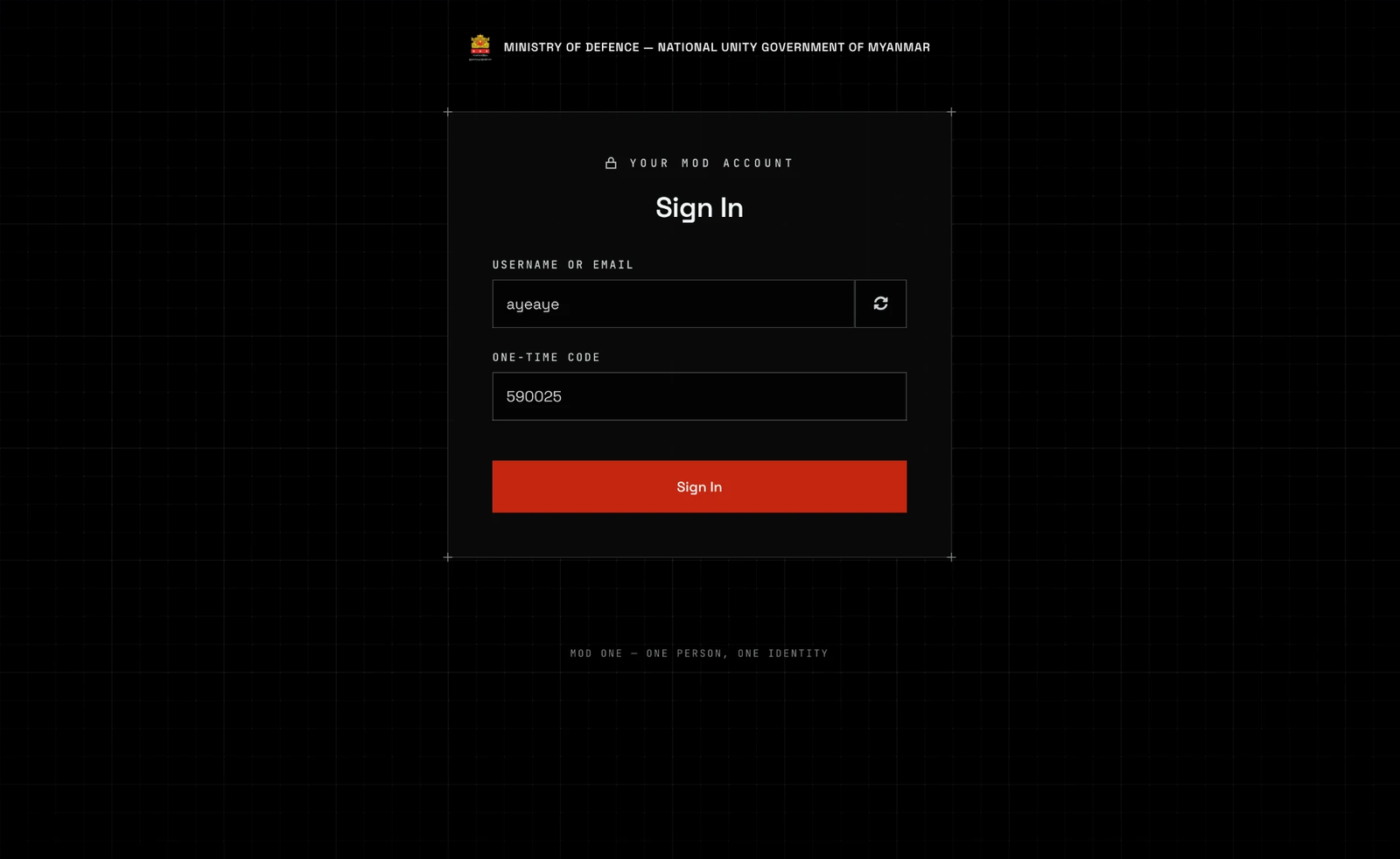
The code screen. Your password was accepted: this screen only comes after it. The circular arrow starts sign-in again. A rejected code shows Invalid authenticator code. The code only works if your phone shows the right time. Set the date and time to update automatically (usually Settings, then Date and time), then try again.
Each code lasts 30 seconds. If the ring or bar in your app is nearly empty, wait for the next code.

More than one MOD One entry? Use the one with your username. -
Password rejected? Use the password you chose, not the one on your sign-in sheet.
A wrong password shows Invalid username or password. The screen never says which of the two was wrong. The temporary password on the sheet stops working once you set your own.
Forgotten your password? There is no Forgot password link. Contact your administrator, but not through this account. See Who to contact. They can reset it and give you a new sign-in sheet. You keep your authenticator.
-
Saw “sign-in did not complete”? Try again.
The message reads “SIGN-IN DID NOT COMPLETE. NOTHING WAS SIGNED IN — TRY AGAIN.” Nothing is broken. Select ENTER and sign in again.
If it keeps happening, report it. You cannot fix it yourself.
-
Saw “You declined the MOD One Terms of Use”? Sign in again and accept them.
The message reads “YOU DECLINED THE MOD ONE TERMS OF USE, SO YOU WERE NOT SIGNED IN. YOU CANNOT USE MOD ONE UNTIL YOU ACCEPT THEM. CONTACT YOUR COMMANDING OFFICER OR THE ICT TEAM.” Your account is fine. Select ENTER and sign in again. On the Terms of Use page, tick the box and select I Agree.
-
Phone or authenticator app gone? Contact an administrator.
Do not use this account to contact them. Tell them your full name, your MOD Person ID if you have it written down, when you last signed in, and what happened to the phone.
Never accept a password from a colleague or in a message.
-
Still refused every time? Your account may be suspended or closed.
This happens when someone leaves, moves to a new post, or someone else may have used the account. The sign-in screen will not tell you. Ask your manager.
If it does not work
- My password works but the code is never accepted.
The phone clock is wrong, or your app has two MOD One entries and you are reading the wrong one.
Turn on automatic time on the phone. If your app lists two MOD One entries, try the other one.
- I never got to the authenticator step and now it asks for a code.
Someone else completed the first sign-in on this account.
Stop and report it: someone may have taken over your account. Do not keep trying.
- A Terms of Use page appeared after my code.
Everyone must accept the MOD One Terms of Use before they can use their account, including people who already had one.
Read them, tick the box and select I Agree. You are not asked again unless the Terms change.
- I can sign in to the portal but the admin console refuses me.
The admin console is a separate site. It needs an administrator role that most accounts do not have.
This is normal. If your job needs it, your manager has to ask for the role for you.
Still stuck? Contact your administrator, but not through this account. Tell them what the screen said, what you tried, and when it started.